

Know exactly what you're signing.
Tula Wallet is a self-custody wallet for Ethereum and other EVM networks. Your keys stay on your phone, and every request is spelled out before you approve it.
Coming soon to iPhone and Android
How it protects youA scam can look like a normal request. Tula Wallet shows what it really does.
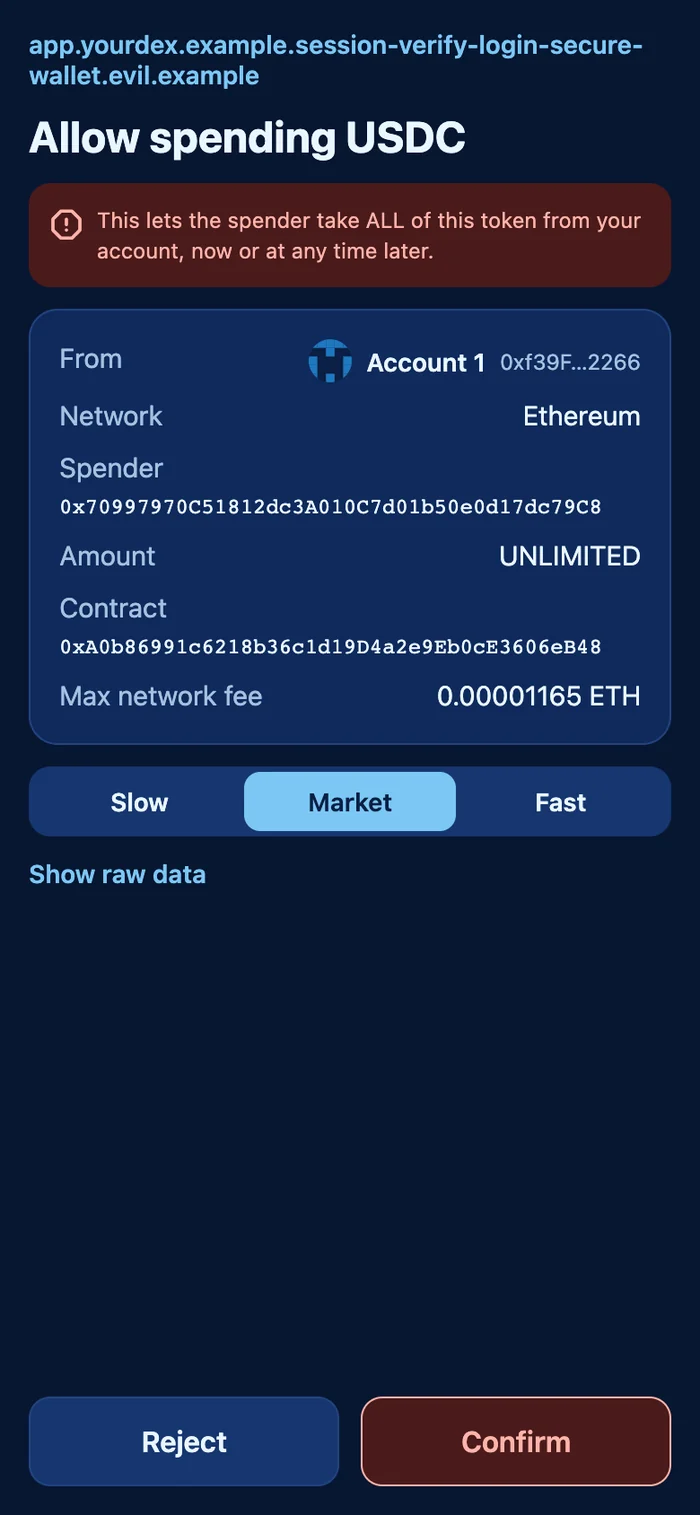
Here's what you see when a site asks to spend all of your USDC.
-
The whole web address
Nothing gets cut off, so a long fake name can't pass as a site you know.
-
What it can do, in plain words
An unlimited approval says so in red: this spender could take all of this token, now or later.
-
Every address in full
You see the complete spender and token contract, because shortened addresses are easy to imitate.
-
A moment to think
Confirm stays locked for a moment after a prompt opens, so a stray tap can't approve it.
Requests that are malformed or disguised are blocked, and Confirm stays off.
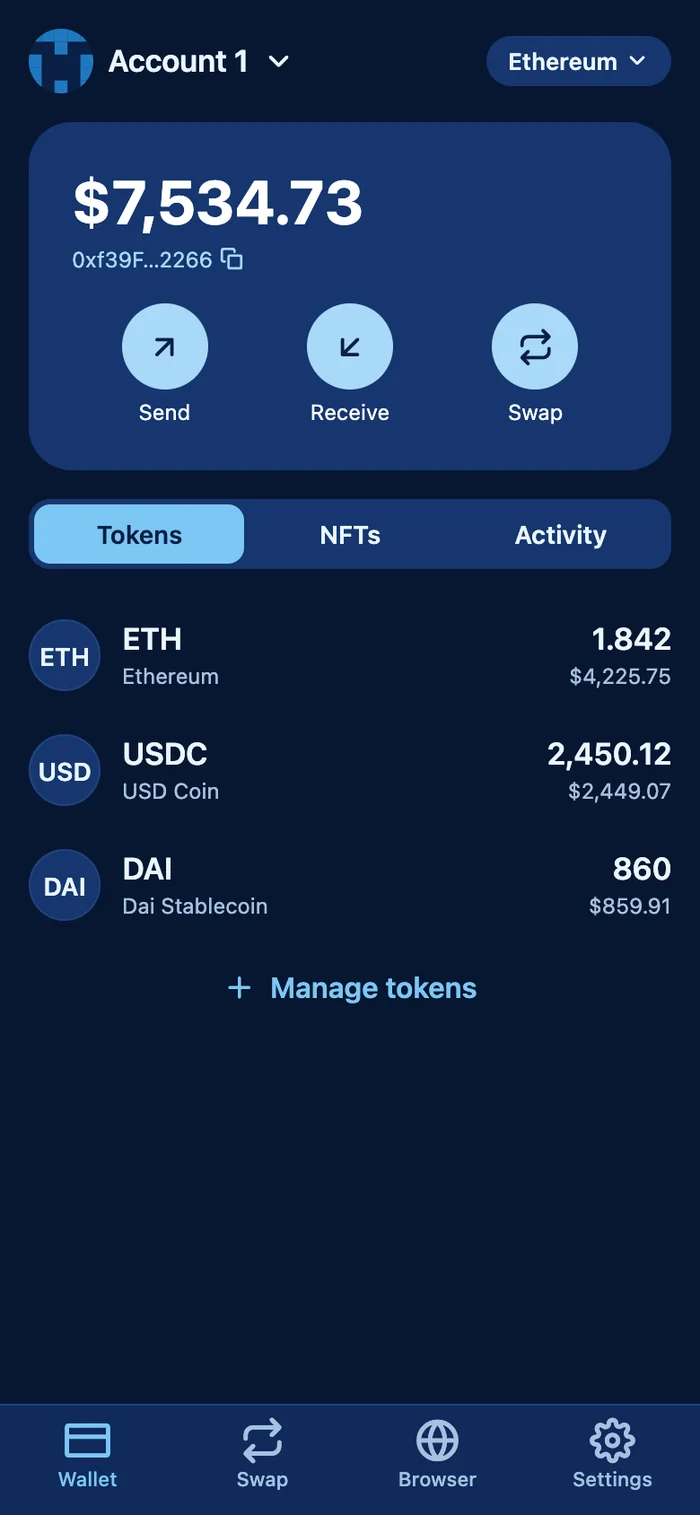
And everything else you need from a wallet.
- Send and receive
- Pay an address or an ENS name, or scan a QR code. Mistyped and zero addresses are stopped before you can continue.
- Swaps
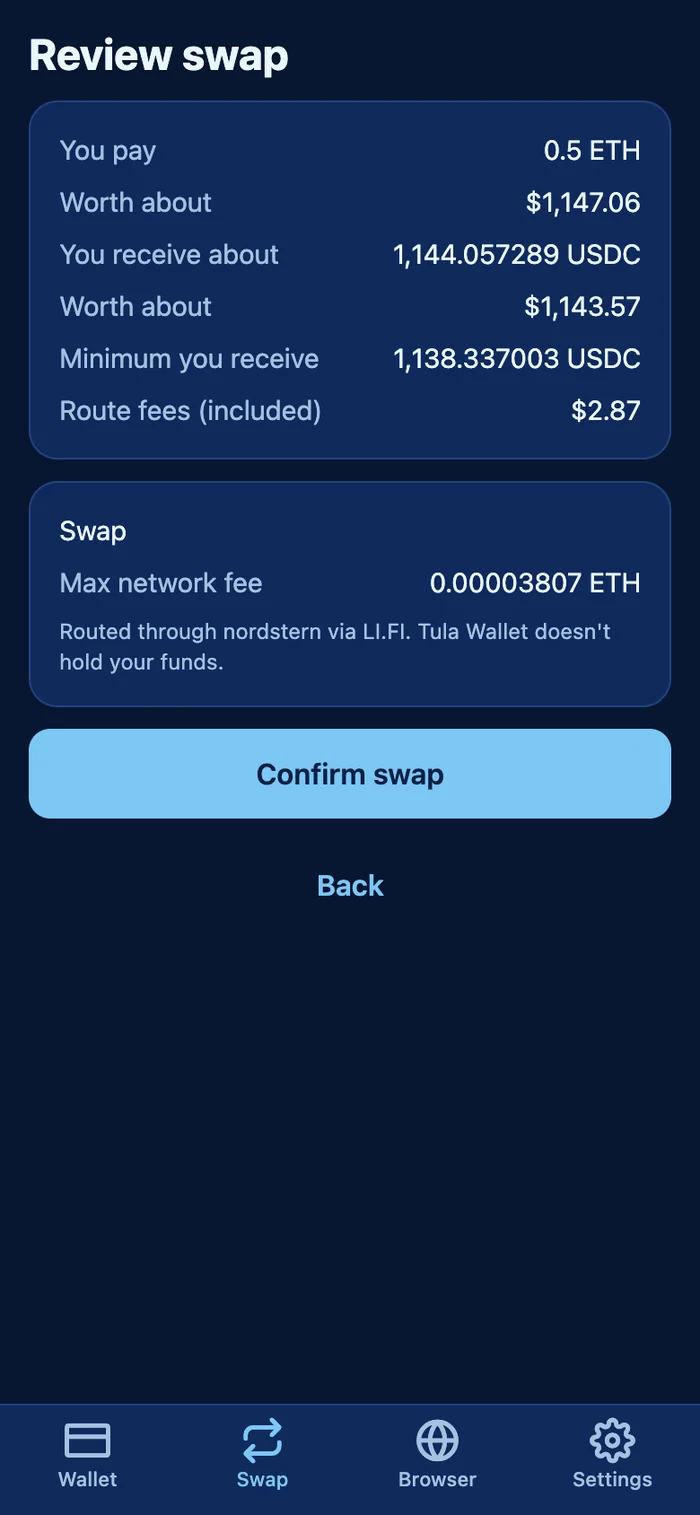
- Swap through LI.FI, and check the rate, the minimum you'll receive and the fees first.
- dApp browser
- Open dApps inside the wallet. A site can only see your account after you connect it.
- WalletConnect
- Scan a code to use your wallet with apps on your computer.
- NFT gallery
- See your NFTs next to your tokens.
- Your existing wallet
- Import a recovery phrase from MetaMask and other wallets that use the standard path, and your accounts come with you.
One wallet across your networks
- Ethereum
- Polygon
- BNB Chain
- Arbitrum
- Optimism
- Base
and any EVM network you add
Your keys never leave your phone.
There's no account to create, and no Tula Wallet server holds your keys. That also means nobody can recover your wallet for you, so keep your recovery phrase safe.
- Encryption
AES-256-GCM- Your wallet is encrypted with a key made from your password, using
PBKDF2-SHA256at600,000iterations. - Storage
Keychain / Keystore- Kept in your phone's secure storage, on this device only and out of its backups.
- Locking
Immediately- The default is to lock as soon as you leave the app. Face ID or fingerprint unlock is optional.
- Recovery phrase
Hidden until you ask- Protected from screenshots and screen recording while it's on screen.
- Site identity
Proven by the page- The browser shows a lock and a site name only after the page proves where it's from.
- Scam sites
Blocked- Sites on a public list of known scams are stopped. New scams may not be on it yet, so stay careful.
Not released yet
Tula Wallet is still being tested, and it hasn't had an independent security audit. It isn't on the App Store or Google Play, so any app using this name today isn't ours.
We'll never ask for your recovery phrase
Anyone who asks for it is trying to steal your crypto, even if they say they're from Tula Wallet.
Questions
What does self-custody mean?
You alone hold the keys to your crypto. No company can move or freeze your funds, and no company can get them back for you if you lose your recovery phrase.
What happens if I lose my phone?
Install Tula Wallet on a new phone and enter your recovery phrase. Your accounts will come back. If you lose both your phone and your phrase, nobody can restore your wallet.
Can I bring my MetaMask wallet?
Yes. Import your recovery phrase and Tula Wallet derives accounts the same way MetaMask does, so your addresses match. You can also import a single account with its private key.
What are the fees?
You pay network fees to the network, and the app shows them before you confirm. Swaps go through LI.FI, whose quotes have included a 0.25% fee, shown as "Route fees" on the review screen. Tula Wallet doesn't add a swap fee of its own.
Who can see my activity?
Tula Wallet has no account and no servers of its own, but it does talk to outside services to work. These include network RPC providers, CoinGecko for prices, LI.FI for swaps, Alchemy for NFTs and Reown for WalletConnect. They can see the requests the app sends, such as your address. Anything you do on a public blockchain is also public.
When is it coming out?
There's no date yet. It will launch once testing on real phones and an independent security audit are finished.